
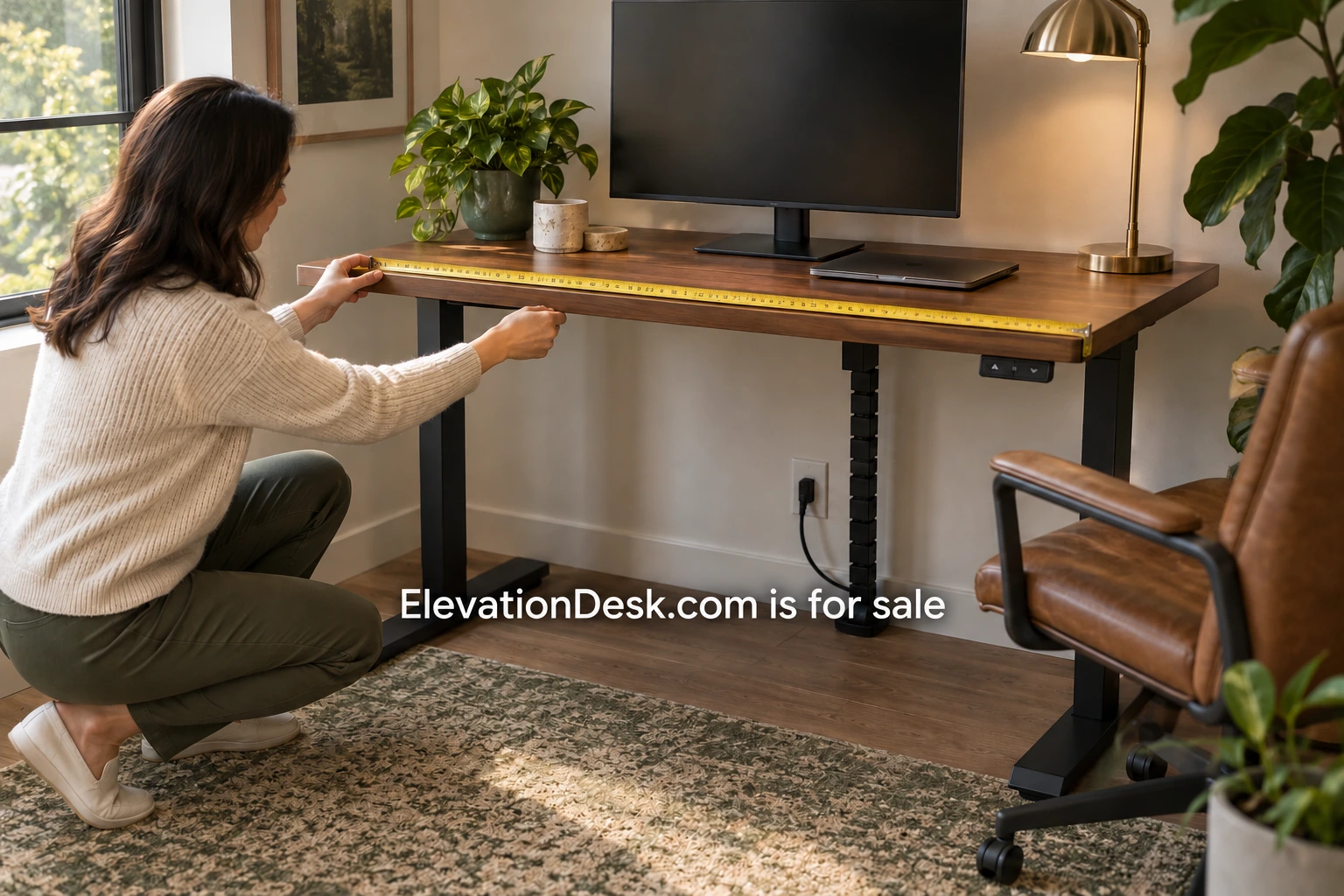
A standing desk can be the right category and still be the wrong size for a particular room. The desktop may fit the wall while the chair blocks a door, or the frame may rise comfortably while a monitor cable pulls tight. Before shopping, measure the complete workspace and record what actually needs to move. This guide is a planning aid; actual product specifications and manufacturer instructions determine the suitability of a particular desk.
Begin with the footprint you can use
Measure the room area available for the desk, then note the features around it. Include skirting, radiators, window handles, shelving, door swings and anything that projects from the wall. A rectangle drawn between two walls is only a starting point. The space may change when a door opens or someone walks through the room.
Record the position of outlets as well as their height. Note which outlet serves the desk and whether a lead would cross a passage. If the desk goes beside a window, include the curtain or blind and the access needed to operate it. These details are easy to miss when measuring only the obvious furniture gap.
Keep a simple sketch with the dimensions. It does not need to be a professional drawing, but it should show which measurement refers to which edge. Write down anything you have estimated so that it can be checked before ordering. Photograph the space from more than one angle for your own reference.
Measure the base separately from the top
Product pages often lead with the desktop width and depth. Find the dimensions of the feet, the space between the legs and any projection of the controls or accessories. A tabletop can sit within an alcove while a foot reaches into a route beside it. A drawer unit may fit under the top but conflict with the moving frame.
Use removable tape to mark the proposed footprint on the floor. Mark the surface outline separately if it differs from the base. This makes the relationship visible without relying on a showroom photograph. Walk past it, open the nearby door and move your chair through the area as you normally would.
If you plan to reuse storage, measure its height and location. Do not assume that anything fitting beneath the desk at one position will remain clear throughout adjustment. Check the product drawings for the mechanism and follow the manufacturer’s restrictions. A plan should show where storage stays and where the moving structure travels.
Make room for the chair and ordinary movement
Place the actual chair in the taped area. Sit, approach the surface and move back as though getting up. Watch the chair arms, casters and back in relation to adjacent furniture. If several people use the room, consider how someone passes while another person is seated.
OSHA’s workstation desk guidance identifies clearance beneath a work surface as part of workstation planning. Use that reference for context, then evaluate the real dimensions in your setup. A desk label or category does not establish that the chair and equipment fit together. If an arrangement feels cramped in a physical trial, the photograph of a similar room should not override it.
In a shared-use room, also try the arrangement when work ends. Where does the chair go? Can the wardrobe still open? Does the surface obstruct another activity? These are practical furniture questions that can help you choose among sizes before considering finish or accessory bundles.
Check surface depth with your actual equipment
Lay out the monitor, keyboard, pointer and other frequently used equipment on your present desk. Measure the space they occupy and record which items can move. A monitor stand can consume more depth than its screen suggests, and a laptop kept open beside it adds another surface requirement.
OSHA’s monitor guidance discusses viewing distance and placement in relation to the other components. Treat that as a reason to test the whole arrangement rather than copy a display setup. You may need to change text size, equipment placement or the monitor support. The appropriate setup depends on the user and equipment, not simply the advertised surface depth.
If you intend to buy a monitor arm, check the arm’s specifications and the desk’s permitted clamping locations. Include the clamp, its movement behind the surface and any restriction from a wall. The arm’s compatibility with the monitor is a separate check. Saving surface space is helpful only when the complete combination is supported.
Understand the height specification
Ask whether a published height range describes the frame alone or the assembled desk including its surface. A thick top changes the final height. Confirm whether the measurements include any casters, feet or other fittings shown in the photographs. Two listings can appear similar while measuring different things.
Compare the stated range with a trial of your own working positions. Measure the surface you currently use and note any changes you want to evaluate. Do not calculate a perfect desk height from your total body height alone. The chair, footwear, equipment and arrangement all affect how a configuration works.
A desk that cannot reach the required lower position may remain unsuitable even if its maximum height is generous. Similarly, a taller user should check the upper limit with the assembled surface and normal equipment. Manufacturer guidance and, where needed, an individual workstation assessment are better references than an assumption that every adjustable desk fits everyone.
Add up equipment and inspect the rating
List the items the moving surface must carry. Include screens, arms, the computer if attached to the surface, speakers and accessories. Check how the manufacturer defines its rated capacity and what components are included in that figure. Do not assume that the stated limit refers only to equipment added after purchase.
Weight is not the only question. The placement of heavy items, accessory clamps and the permitted configuration may matter under the manufacturer’s instructions. If a specification is unclear, ask before buying and retain the written answer. A larger capacity number cannot resolve ambiguity about the product’s intended use.
Follow every lead through the movement
Trace the power and data leads from the devices to their fixed connection points. At the desk’s highest intended position, there needs to be sufficient reach under the manufacturer’s installation guidance. At the low position, spare length needs a safe, managed place. Avoid testing by letting a moving desk pull against a connected lead.
Consider which items move with the surface and which stay on the floor or wall. A mounted power strip can change the cable arrangement, but it must be installed and used according to the relevant instructions. Check access to plugs, controls and cable accessories after placing the chair and storage. An arrangement that looks tidy from the front may be difficult to maintain underneath.
Work through one example
Imagine an illustrative alcove with a wall outlet, a laptop dock and one monitor. A proposed desk has a surface that fits the gap, but its feet extend farther forward than the current fixed table. Tape shows that the new base narrows the route to a wardrobe. The buyer compares a different surface and base configuration before ordering.
Next, the buyer checks the monitor support and lead lengths. A cable that reaches the fixed desk does not reach the intended raised position, so the setup needs a compatible longer lead or a revised connection arrangement. Finally, the buyer checks the delivery route and sees that the largest carton would be difficult to turn on the stairs. Asking about carton dimensions becomes part of the purchase decision.
Keep a comparison record
For each candidate, record desktop and base dimensions, assembled height range, rating definitions, accessory compatibility and delivery information. Attach your room measurements rather than relying on memory. Mark unanswered questions and obtain answers before placing an order.
Your next step is a measured workspace plan compared with actual product specifications. It should identify what fits, what needs to change and what remains uncertain. That record is useful whether you buy a standing desk now or decide that the room needs a different furniture arrangement first.